Basic
View
View is the core building block of the user interface, used to form screens in the system. Each screen is created based on one or more Views, inside which various widgets are placed.
A View defines:
- The structure and layout of the screen's content.
- The order in which widgets are displayed.
- The width of each widget (using an adaptive grid).
Adaptive Grid
The system uses a 24-column adaptive grid for placing widgets. This allows for flexible management of their positioning and interface adaptability.
| Value | Behavior |
|---|---|
| 24 | The widget occupies the full width of the page. (Default) |
| 12 | The widget occupies half the width of the page (12/24 = 50%). |
Note: Some special widgets (e.g.,
AdditionalList) may ignore the standard width rules and behave differently.
If two consecutive widgets have a total grid width of 24 or less, they will be placed on the same line: the first on the left, the second on the right. If the total width of the widgets exceeds 24, the following widgets are automatically moved to a new line.
Widget Display Order (position)
Widgets inside a View are displayed in ascending order of their position parameter.
Recommendation: Use increments of 10 (e.g.,
10,20,30) so that in the future you can easily insert a new widget between existing ones (e.g., at position15) without changing the other values.
Example View Configuration
| Parameter | Example Value | Description |
|---|---|---|
id |
myexampleid |
The unique identifier for the View in the system. |
title |
My Title |
The View title displayed to the user (depends on the tab level). |
template |
DashboardView |
The View template. DashboardView is the standard (vanilla) template. |
url |
myexample357listexample |
The unique URL for the View. |
rolesAllowed |
["CXBOX_USER"] |
The list of roles allowed to access this View. |
How to add?
Example
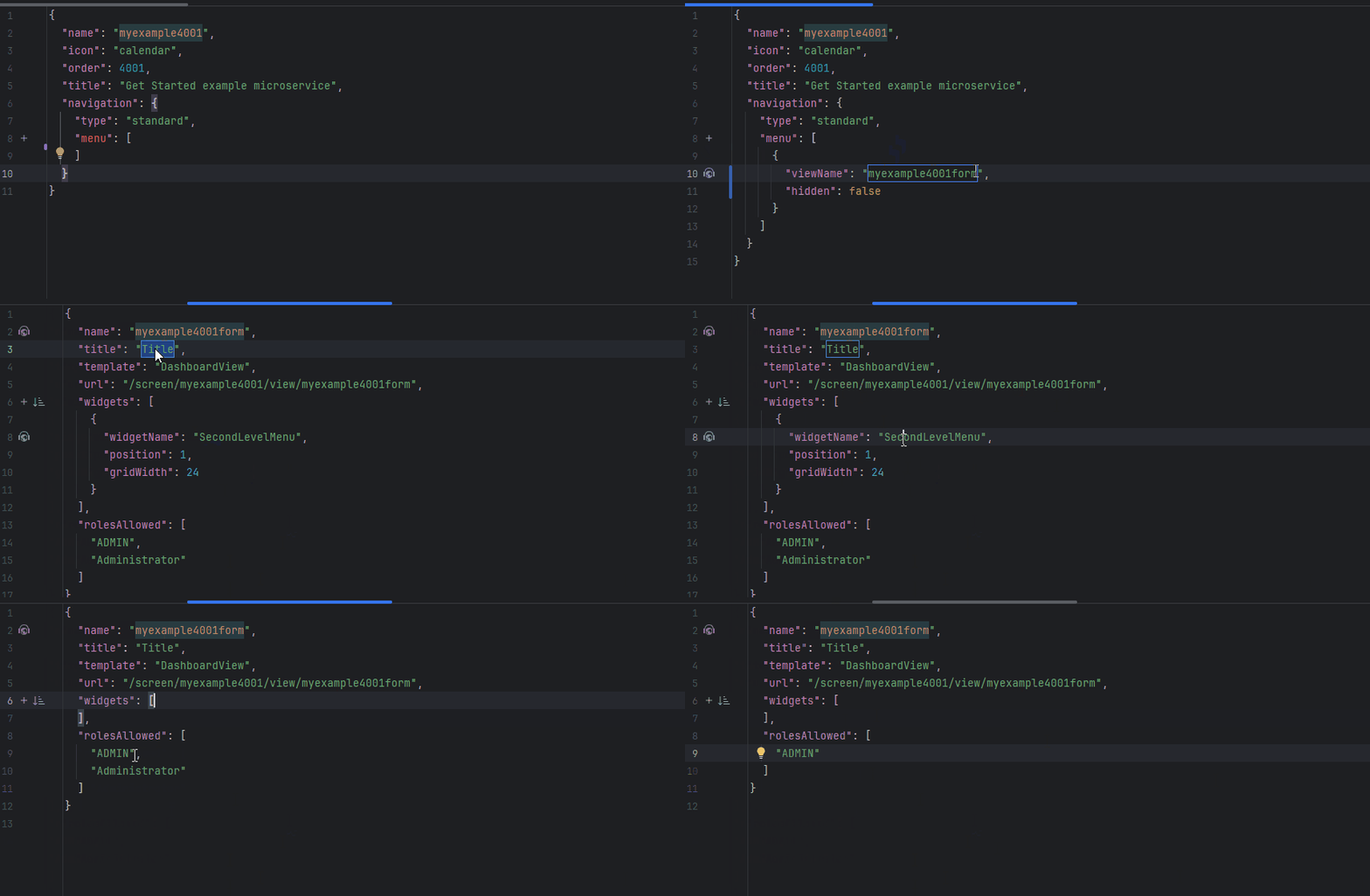
To create a new View, you must:
- Set a unique
id - Specify
title. - Define the list of allowed
roles. template=DashboardView- Add URL for the view.
- Add widgets, specifying for each:
- The
positionparameter (controls the display order). - The
gridWidthparameter (controls the width in the 24-column grid).
- The
Security
Allowed Roles see more rolesAllowed