Perfomance metrics
cxbox/core 3.0.5
cxbox-ui/core 1.37.1
How does it look?
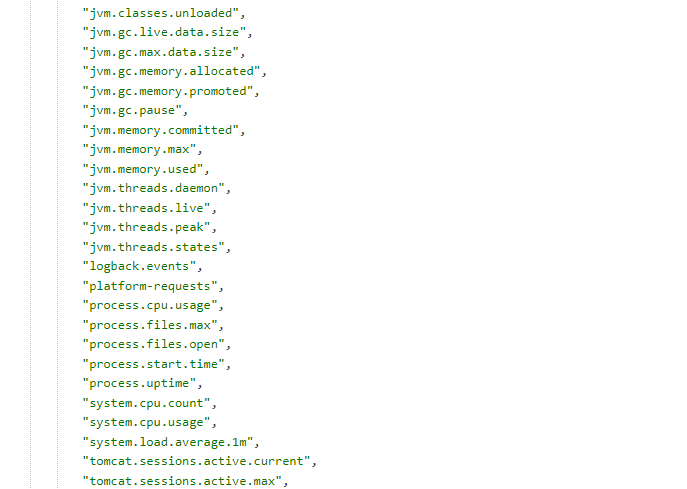
Metrics
Metrics can be two types:
- Standard
- Custom
Standard metrics
Description Standard metrics see spring-boot metrics
How to add?
Example
Step 1. Add pom.xml new dependency.
Step 2. Add permission to SecurityConfig.java Step 3. Add new environment to application.ymlCustom metrics
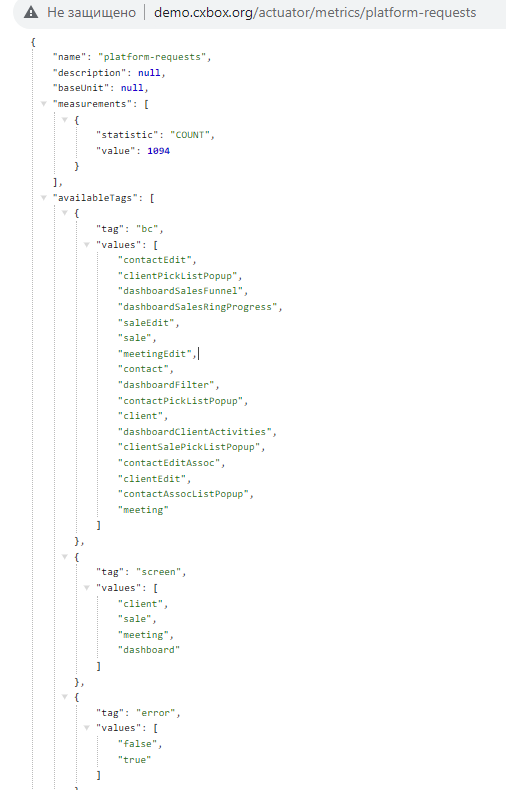
You can see the number of requests in different sections.
Live Sample Statistics of all requests to UI
Live Sample Statistics of all requests to screen clients and user
Example request:
../actuator/metrics/platform-requests?tag=<section name>:<section value>
https://demo.cxbox.org/actuator/metrics/platform-requests?tag=screen:clientAll requests to screen clients
You can filter by several sections at once.
https://demo.cxbox.org/actuator/metrics/platform-requests?tag=screen:client&tag=user:DEMO All requests to user and screen clients
How does it look?
Custom application metrics: counting calls to UI tesler.
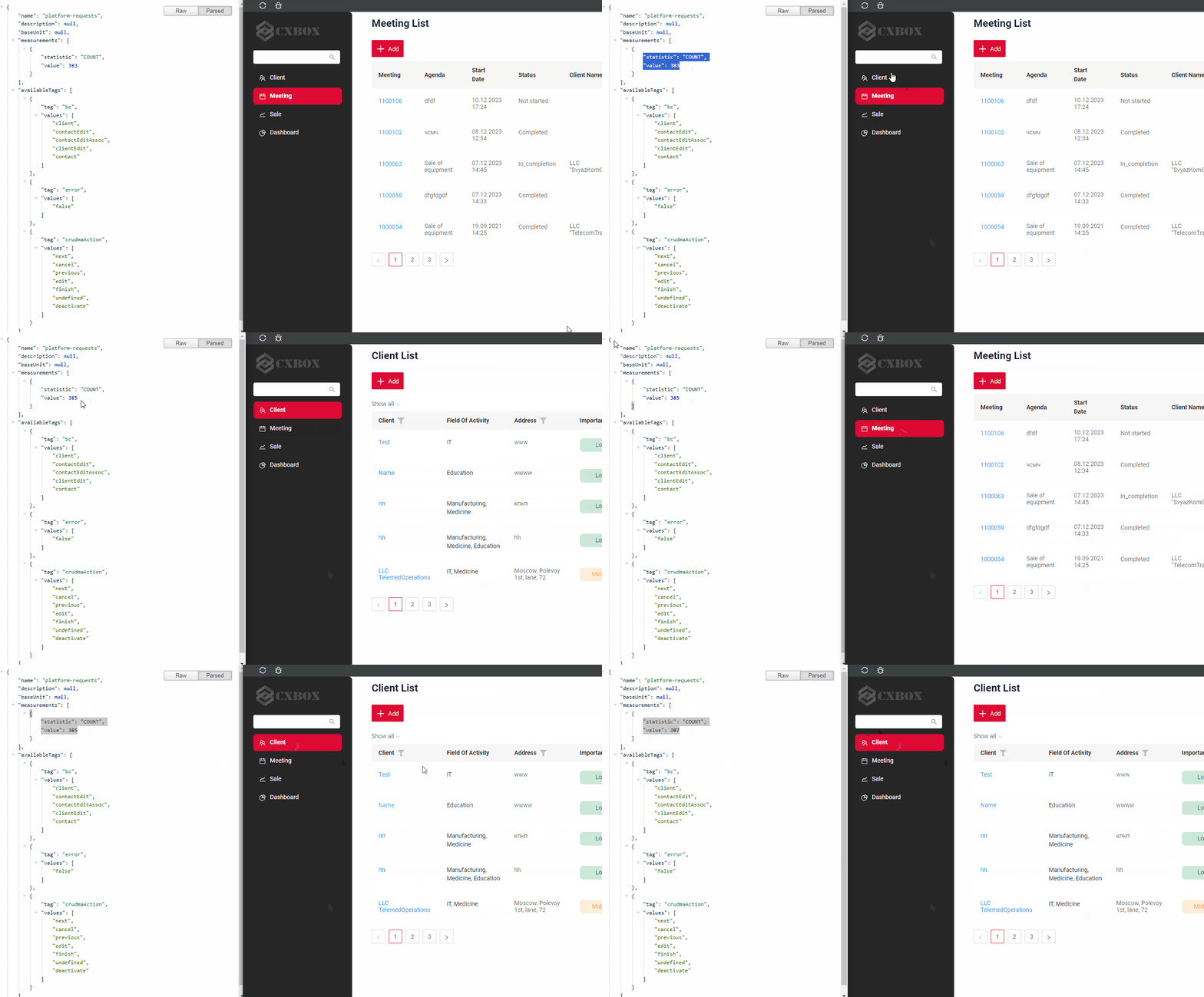
Custom application metrics: counting calls to screen clients.
How to add?
Example
Step 1. Add pom.xml new dependency.
<dependency>
<groupId>org.springframework.boot</groupId>
<artifactId>spring-boot-starter-actuator</artifactId>
</dependency>
    management:
        endpoint:
            metrics:
                enabled: true
    endpoints:
        enabled-by-default: true
        web:
            exposure:
                include: 'metrics'
Custom metrics start name: "platform-requests"
@Slf4j
@Component
public class CrudmaEventListener implements ApplicationListener<CrudmaEvent> {

    public static final String UNDEFINED = "undefined";

    private final MeterRegistry registry;

    private final SessionService sessionService;

    private final UserRepository userRepository;

    public CrudmaEventListener(MeterRegistry registry, SessionService sessionService, UserRepository userRepository) {
        this.registry = registry;
        this.sessionService = sessionService;
        this.userRepository = userRepository;
        registry.counter("platform-requests");
    }

    @Override
    public final void onApplicationEvent(final CrudmaEvent event) {
        final CrudmaAction crudmaAction = event.getCrudmaAction();
        final BusinessComponent bc = crudmaAction.getBc();
        Counter counter = registry.counter(
                "platform-requests",
                "screen", Optional.ofNullable(bc.getHierarchy().getScreenName()).orElse(UNDEFINED),
                "bc", Optional.ofNullable(bc.getName()).orElse(UNDEFINED),
                "crudmaAction", Optional.ofNullable(crudmaAction.getName()).orElse(UNDEFINED),
                "user", Optional.ofNullable(getUserLogin()).orElse(UNDEFINED),
                "userFullName", Optional.ofNullable(getUserFullName()).orElse(UNDEFINED),
                "error", event.getException() == null ? "false" : "true"
        );
        counter.increment();
    }

    public static String getUserLogin() {
        return Stream.of(SecurityContextHolder.getContext())
                .map(SecurityContext::getAuthentication)
                .map(Authentication::getName)
                .findFirst()
                .orElse(null);
    }

    /**
     * Full name is not unique and may change, so it goes to a separate tag and the "user" tag keeps the login
     */
    private String getUserFullName() {
        try {
            return Optional.ofNullable(sessionService.getSessionUser())
                    .map(IUser::getId)
                    .flatMap(userRepository::findById)
                    .map(User::getFullName)
                    .filter(fullName -> !fullName.isEmpty())
                    .orElse(null);
        } catch (Exception e) {
            log.debug("Cannot resolve user full name for metrics", e);
            return null;
        }
    }

}