Screen
Work in progress
Additional properties
Screen Name Wrapping in Left Menu
When using the application, screen names in the left navigation panel can sometimes be long. You can control how these names are displayed.
Screen names:
- remain on a single line. No line breaks are applied (Default behavior)
- can wrap to multiple lines if they do not fit within the left panel
How does it look?
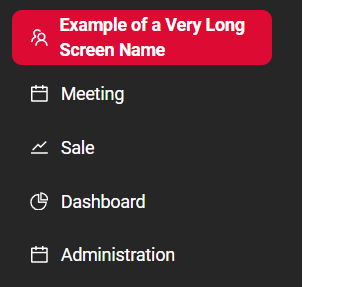
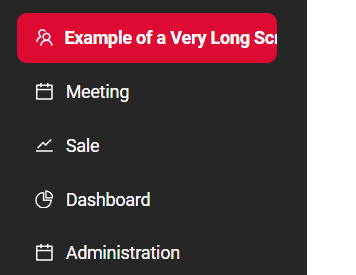
How to add?
Example
| Value | Behavior Description |
|---|---|
| not set | Screen names remain on a single line. No line breaks are applied. |
| none | Same as the default behavior: screen names stay on a single line. |
| auto | Screen names can wrap to multiple lines if they do not fit within the left panel width. There is no line length restriction. |
Step 1 Add the sideBarWordBreak parameter to application.yml
Step 2 Add the sideBarWordBreak parameter to LoginServiceImpl
Screen Search in Left Menu
The application allows controlling whether the screen search in the left navigation panel is displayed for a user.
The screen search is :
- always visible when the left menu is expanded (Default behavior)
- not rendered in the expanded left menu for the user
How does it look?
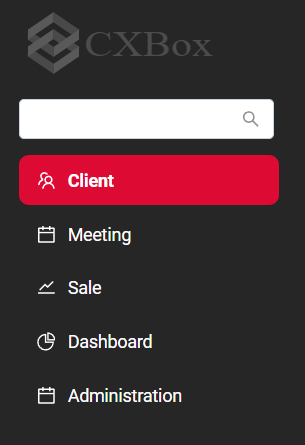
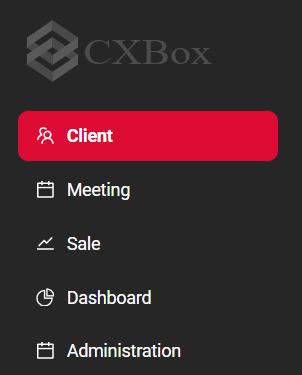
How to add?
Example
| Value | Behavior Description |
|---|---|
| not set | Default behavior: the screen search is always visible when the left menu is expanded. |
| true | Same as default: the screen search is always visible. |
| false | The screen search is not rendered in the expanded left menu for the user. |
Step 1 Add the sideBarSearchEnabled parameter to application.yml
Step 2 Add the sideBarSearchEnabled parameter to LoginServiceImpl