setHidden()
The setHidden() method sets the hidden state for the specified DTO fields.
Parameters:
fields– fields the DTO fields
Applies to:
How does it look?
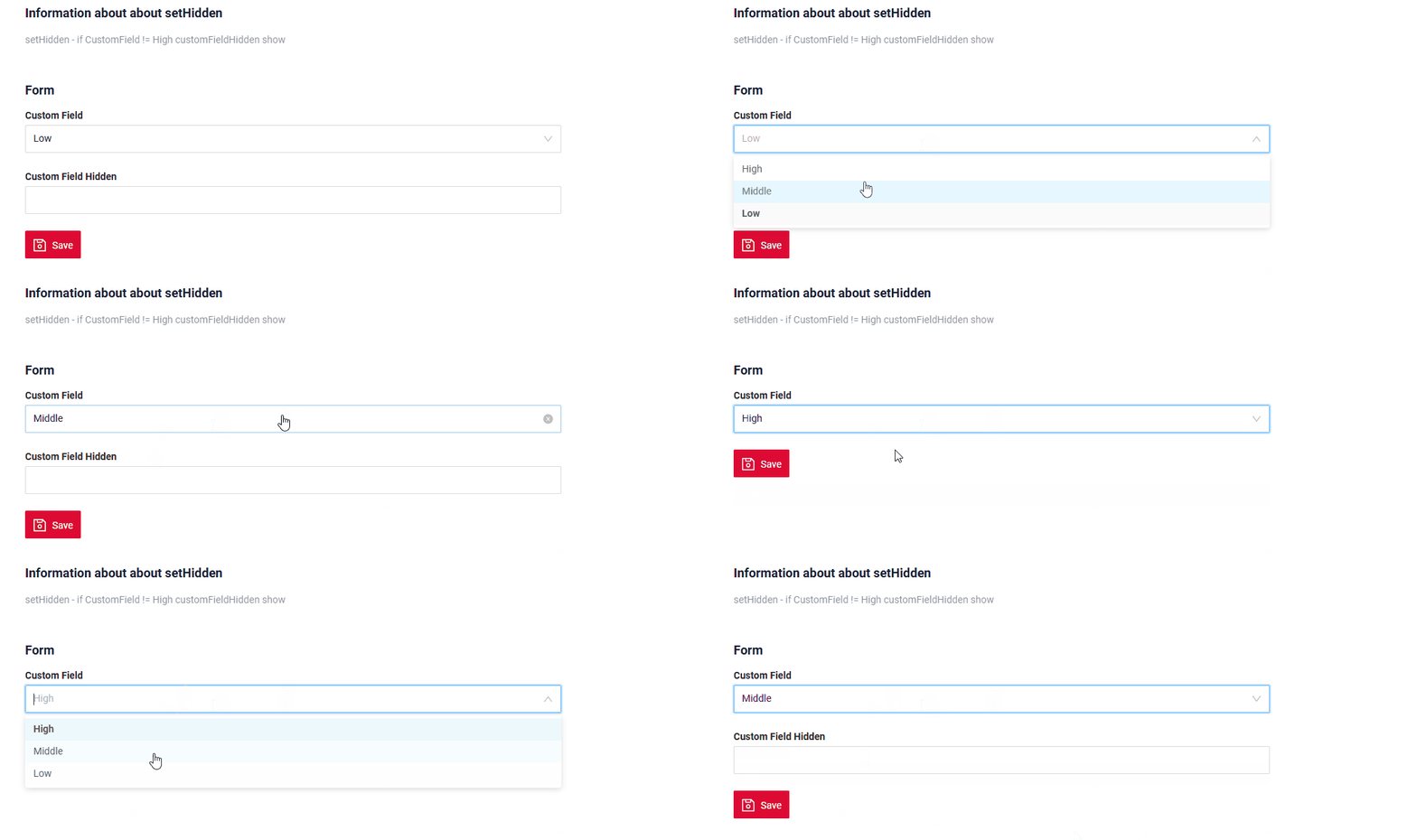
Info
Field Handling in Table-Type Widgets
Applies to:
- AdditionalList widget
- AssocListPopup widget
- GroupingHierarchy widget
- List widget
- PickListPopup widget
1.Dynamic field hiding (setHidden)
For all table-type widgets, dynamic field hiding via setHidden does not affect which columns are shown in the table. setHidden may work inside create/edit forms (if the widget has them), but it cannot change the visible columns of the table itself.
2.Controlling table columns (fields in widget.json)
The set of visible table columns is defined only by the fields array in widget.json. No runtime changes (setHidden, conditions, roles, etc.) can modify the column set.
Behavior by widget type : GroupingHierarchy widget, List widget
In create / edit mode (
It does not affect which columns are shown in the list.
Behavior by widget type AdditionalList widget
In read mode (
Example for all type widgets: Live Sample · GitHub
How to add?
Example
buildRowDependentMeta
   @Override
   public void buildRowDependentMeta(RowDependentFieldsMeta<MyExample5010DTO> fields, InnerBcDescription bcDescription,
                                     Long id, Long parentId) {
       if (fields.isFieldChangedNow(fields, MyExample5010DTO_.customField)) {
           if (Objects.equals(fields.getCurrentValue(MyExample5010DTO_.customField).orElse(null), CustomFieldEnum.HIGH)) {
               fields.setHidden(MyExample5010DTO_.customFieldHidden);
           }
       }

       fields.setEnabled(MyExample5010DTO_.customFieldHidden);
       fields.setEnumValues(MyExample5010DTO_.customField, CustomFieldEnum.values());
       fields.setEnabled(MyExample5010DTO_.customField);

   }