Steps
Steps widget is used to define and manage sequential actions or stages within a business process in the application. They allow developers and users to structure complex behavior into smaller, manageable steps, improving readability, maintainability.
Basics
How does it look?

How to add?
Example
Step1 Create file .widget.json. with type = "Steps"
{
  "name": "myExampleStep",
  "title": "Step",
  "type": "Steps",
  "bc": "myexample",
  "fields": [
    {
      "label": "Description",
      "key": "description",
      "type": "input"
    },
    {
      "label": "editStep",
      "key": "editStep",
      "type": "input"
    }
  ],
  "options": {
    "stepsOptions": {
      "stepsDictionaryKey": "editStep",
      "descriptionFieldKey": "description"
    }
  }
}
{
  "name": "myexamplestep",
  "title": "My task step 1",
  "template": "DashboardView",
  "url": "/screen/myexample/view/myexamplestep",
  "widgets": [
    {
      "widgetName": "myExampleStep",
      "position": 10,
      "gridWidth": 12
    },
    {
      "widgetName": "myExampleForm",
      "position": 20,
      "gridWidth": 24
    }
  ],
  "rolesAllowed": [
    "CXBOX_USER"
  ]
}
Title
This widget type does not support Title
Business component
This specifies the business component (BC) to which this form belongs. A business component represents a specific part of a system that handles a particular business logic or data.
see more Business component
Show condition
This widget type does not support Show condition
Fields
Fields Configuration. The fields array defines the individual fields present within the form.
- "label"
Description: Field Title.
Type: String(optional).
- "key"
Description: Name field to corresponding DataResponseDTO.
Type: String(required).
- "type"
Description: Field types
Type: String(required).
How to add?
Example
Step 1 Download plugin download Intellij Plugin
Step 2 Add existing field to an existing form widget
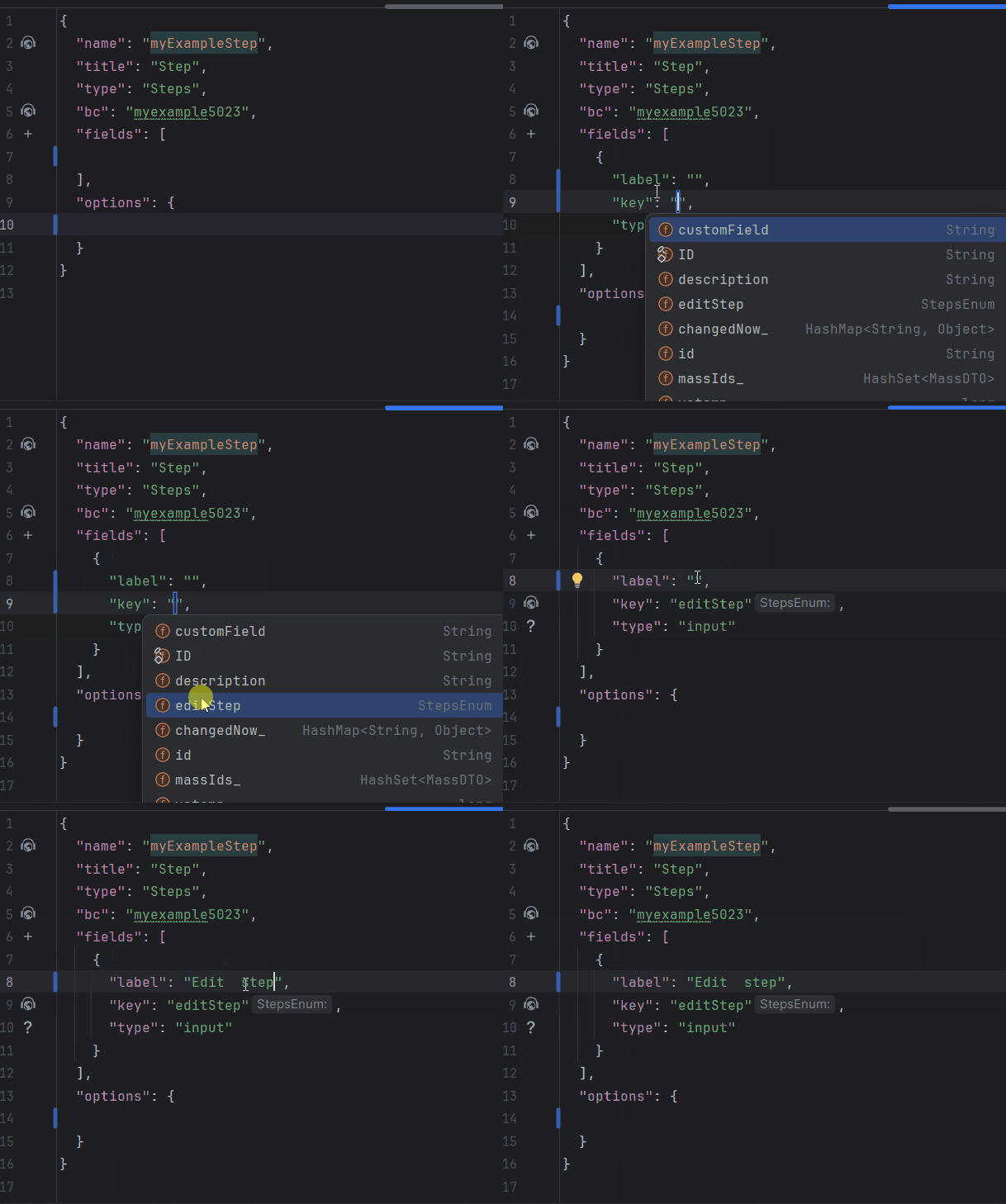
Add field to .widget.json.
   {
     "name": "myExampleStep",
     "title": "Step",
     "type": "Steps",
     "bc": "myexample",
     "fields": [
       {
         "label": "Description",
         "key": "description",
         "type": "input"
       },
       {
         "label": "editStep",
         "key": "editStep",
         "type": "input"
       }
     ],
     "options": {
       "stepsOptions": {
         "stepsDictionaryKey": "editStep",
         "descriptionFieldKey": "description"
       }
     }
   }
see more Fields
Options layout
This widget type does not support Options layout
Actions
This widget type does not support buttons