FilePreview
FilePreview widget is used for file viewing. It always occupies 50% of the main screen area and is placed next to other content. The widget is fixed at the top of the screen while scrolling, ensuring the document remains visible.
Basics
- Displays only the fileUpload field type
- Supports a new mode:inline for the fileUpload field, displaying the document directly within the page without opening a popup
- The allocated area remains fixed even if no file is uploaded
- The area cannot be collapsed
Info
Due to its fixed position, placing other widgets directly below it on the same vertical axis is not possible.
How does it look?
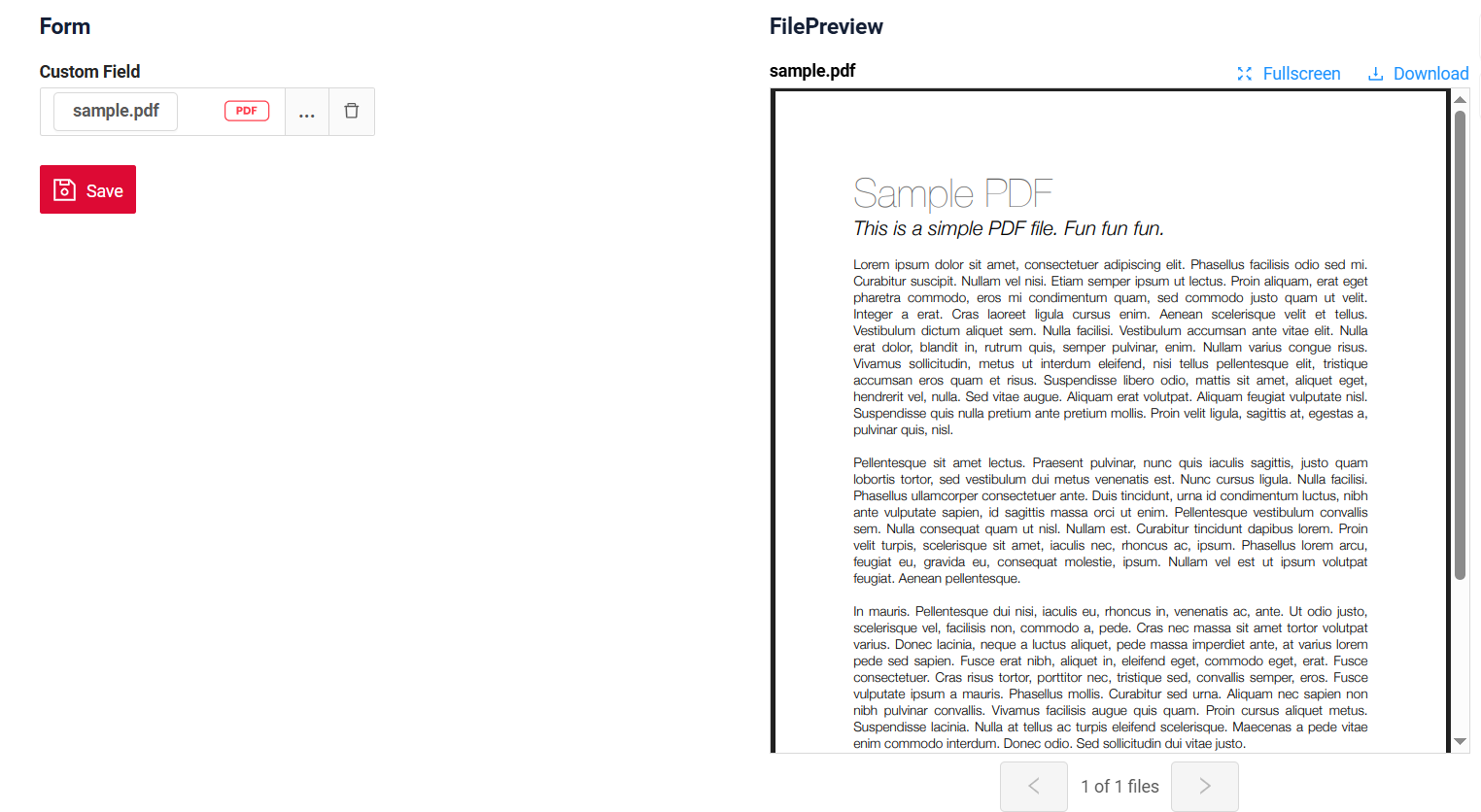
How to add?
Example
Step1 Create file .widget.json with type = "FilePreview"
Add existing field with type fileUpload to a FilePreview widget. see more Fields
Add
   {
     "name": "MyExampleFilePreview",
     "title": "FilePreview",
     "type": "FilePreview",
     "bc": "myexample",
     "fields": [
       {
         "label": "Custom Field",
         "key": "customField",
         "type": "fileUpload",
         "fileIdKey": "customFieldId",
         "preview": {
           "enabled": true,
           "titleKey": "filePreviewTitle",
           "hintKey": "filePreviewHint",
           "mode": "popup",
           "miniPreview": true
         }
       }
     ],
     "options": {
       "layout": {
         "rows": [
           {
             "cols": [
               {
                 "fieldKey": "customField",
                 "span": 12
               }
             ]
           }
         ]
       }
     }
   }
Step2 Add widget to corresponding *.view.json* .
    {
      "name": "MyExampleform",
      "title": "MyExample Form",
      "template": "DashboardView",
      "url": "/screen/myexample/view/MyExampleform",
      "widgets": [
        {
          "widgetName": "SecondLevelMenu",
          "position": 1,
          "gridWidth": 24
        },
        {
          "widgetName": "MyExampleForm",
          "position": 2,
          "gridWidth": 24
        },
        {
          "widgetName": "MyExampleFilePreview",
          "position": 10,
          "gridWidth": 12
        }
      ],
      "rolesAllowed": [
        "CXBOX_USER"
      ]
    }
Title
Work in progress
Business component
Work in progress
Show condition
Work in progress
Standard Actions
Work in progress