MultivalueTree
Available since v3.0.1
MultivalueTree is a component that allows to select multiple values from Popup List of entities
Tips
For this field type we need to talk about number of rows in popup and number of selected rows.Number of rows in popup: Feel free to use this field type for large entities of any size (only one page is loaded in memory).Number of selected rows: should be <1000-10000, because selected rows are stored in memory
Basics
How does it look?
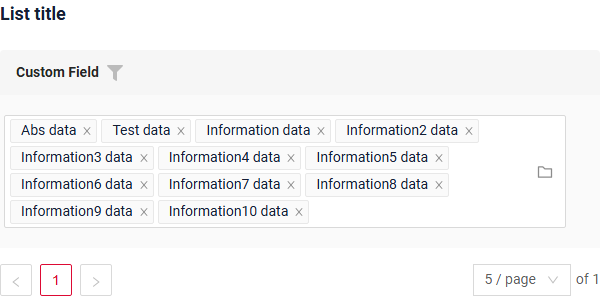
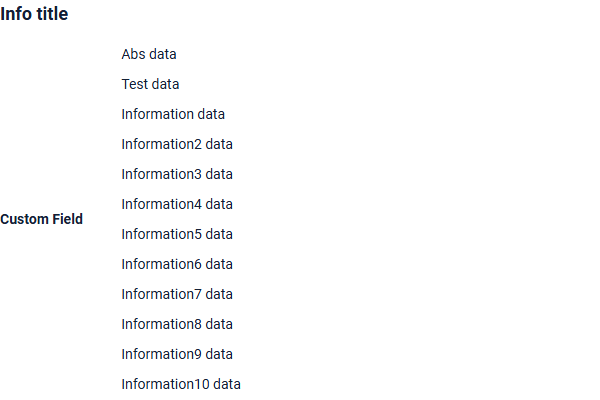
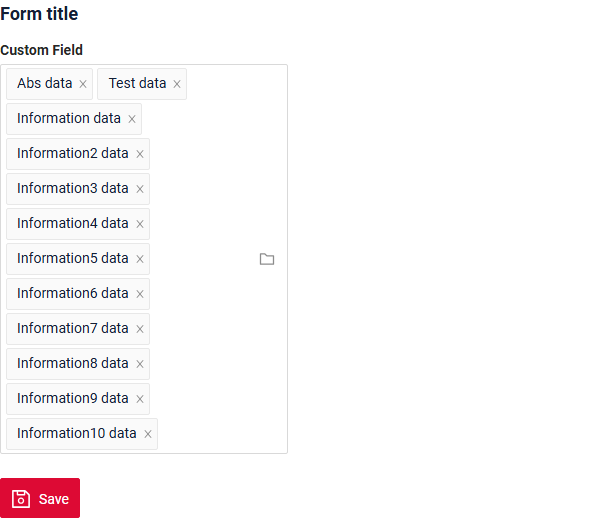
How to add?
Info
The popup is a tree: the business component of the popup must return parentId (filterable, null for the roots) and isLeaf, both declared as hidden fields of the popup widget. The tree settings are described in options.tree.
Example
-
Step 1. AssocTreePopup
In the following example, MyEntity entity has a ManyToMany reference to the MyEntityMultivalue entity. Link is made by id in table MyEntity_MyEntityMultivalue, e.g. MyEntity.id = MyEntity_MyEntityMultivalue.MyEntityId, MyEntityMultivalue.id = MyEntity_MyEntityMultivalue.MyEntityMultivalueId.
- Step 1.1 Create link table for ManyToMany (MyEntity_MyEntityMultivalue).
- Step 1.2 Create Entity MyEntityMultivalue.
- Step 1.3 Create DTO MyEntityMultivalueDTO.
-
Step 1.4 Add String
additional fieldto corresponding BaseEntity. -
Step 1.5 Add String
additional fieldto corresponding DataResponseDTO.@Getter @Setter @NoArgsConstructor public class MyEntityMultivalueDTO extends DataResponseDTO { @SearchParameter(name = "parentId", provider = LongValueProvider.class) private Long parentId; private Boolean isLeaf; @SearchParameter(name = "customField") private String customField; public MyEntityMultivalueDTO(MyEntityMultivalue entity) { this.id = entity.getId().toString(); this.parentId = entity.getParentId(); this.isLeaf = entity.getChildren().isEmpty(); this.customField = entity.getCustomField(); } } -
Step 1.6.AssocTreePopup Create AssocTreePopup to .widget.json.
{ "title": "myEntityAssocTreePopup title", "name": "myEntityMultivalueAssocTreePopup", "type": "AssocTreePopup", "bc": "myEntityMultivalueAssocTreePopup", "fields": [ { "title": "Custom Field", "key": "customField", "type": "input" }, { "title": "id", "key": "id", "type": "text" }, { "title": "Parent Id", "key": "parentId", "type": "hidden" }, { "title": "Is Leaf", "key": "isLeaf", "type": "hidden" } ] } -
Step2 Add List field to corresponding BaseEntity.
@Entity @Getter @Setter @NoArgsConstructor public class MyEntity extends BaseEntity { @JoinTable(name = "MyEntity_MyEntityMultivalue", joinColumns = @JoinColumn(name = "MyEntity_id"), inverseJoinColumns = @JoinColumn(name = "MyEntityMultivalue_id") ) @ManyToMany(cascade = {CascadeType.PERSIST, CascadeType.MERGE}) private List<MyEntityMultivalue> customFieldList = new ArrayList<>(); @Column private String customFieldAdditional; } -
Step 3 Add MultivalueField field to corresponding DataResponseDTO.
@Getter @Setter @NoArgsConstructor public class MyExampleDTO extends DataResponseDTO { @SearchParameter(name = "customFieldList.id", provider = LongValueProvider.class) private MultivalueField customField; private String customFieldCalc; @SearchParameter(name = "customFieldAdditional") private String customFieldAdditional; public MyExampleDTO(MyEntity entity) { this.id = entity.getId().toString(); this.customField = entity.getCustomFieldList().stream().collect(MultivalueField.toMultivalueField( e -> String.valueOf(e.getId()), MyEntityMultivalue::getCustomField )); this.customFieldCalc = StringUtils.abbreviate(entity.getCustomFieldList().stream().map(MyEntityMultivalue::getCustomField ).collect(Collectors.joining(",")), 12); this.customFieldAdditional = entity.getCustomFieldAdditional(); } } -
Step4 Add bc MyEntityMultivalueAssocTreePopup to corresponding EnumBcIdentifier.
-
Step5 Add AssocTreePopup widget to view.
Step 6 Add popupBcName and assocValueKey to .widget.json.
popupBcName- name bc Step 1.6.AssocTreePopupassocValueKey- field for opening AssocTreePopupdisplayedKey- text field usually containing contcatenated values from linked rows on List widgetStep 6 Add to .widget.json.
{
  "name": "MyExampleInfo",
  "title": "Info title",
  "type": "Info",
  "bc": "myExampleBc",
  "fields": [
    {
      "label": "Custom Field",
      "key": "customField",
      "type": "multivalueTree",
      "popupBcName": "myEntityMultivalueAssocTreePopup",
      "assocValueKey": "customField"
    }
  ],
  "options": {
    "layout": {
      "rows": [
        {
          "cols": [
            {
              "fieldKey": "customField",
              "span": 12
            }
          ]
        }
      ]
    }
  }
}
Step 6 Add popupBcName and assocValueKey to .widget.json.
popupBcName- name bc Step 1.6.AssocTreePopup`assocValueKey' - field for open AssocTreePopup
{
  "name": "MyExampleForm",
  "title": "Form title",
  "type": "Form",
  "bc": "myExampleBc",
  "fields": [
    {
      "label": "Custom Field",
      "key": "customField",
      "type": "multivalueTree",
      "popupBcName": "myEntityMultivalueAssocTreePopup",
      "assocValueKey": "customField"
    }
  ],
  "options": {
    "layout": {
      "rows": [
        {
          "cols": [
            {
              "fieldKey": "customField",
              "span": 12
            }
          ]
        }
      ]
    }
  }
}
Placeholder
Placeholder allows you to provide a concise hint, guiding users on the expected value. This hint is displayed before any user input. It can be calculated based on business logic of application. It is shown for a Readonly field as well.
How does it look?
not applicable
not applicable
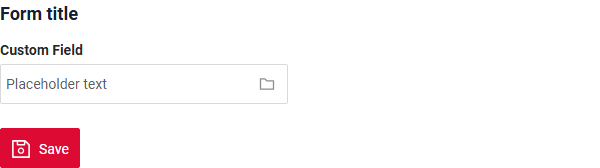
How to add?
Example
Add fields.setPlaceholder to corresponding FieldMetaBuilder.
    @Override
    public void buildRowDependentMeta(RowDependentFieldsMeta<MyExampleDTO> fields, InnerBcDescription bcDescription,
                                      Long id, Long parentId) {
        fields.setEnabled(MyExampleDTO_.customField);
        fields.setPlaceholder(MyExampleDTO_.customField, "Placeholder text");
        fields.setPlaceholder(MyExampleDTO_.customFieldRO, "Placeholder text");
    }
not applicable
not applicable
Works for Form.
Color
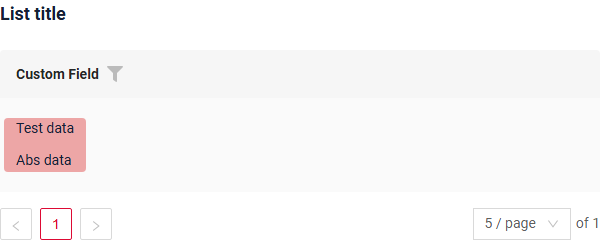
Color allows you to specify a field color. It can be calculated based on business logic of application
Calculated color
Constant color
How does it look?
not applicable
not applicable
How to add?
Example
Step 1 Add custom field for color to corresponding DataResponseDTO. The field can contain a HEX color or be null.
@Getter
@Setter
@NoArgsConstructor
public class MyExampleDTO extends DataResponseDTO {

    @SearchParameter(name = "customFieldList.id", provider = LongValueProvider.class)
    private MultivalueField customField;

    private String customFieldColor;

    private String customFieldCalc;

    public MyExampleDTO(MyEntity entity) {
        this.id = entity.getId().toString();
        this.customField = entity.getCustomFieldList().stream().collect(MultivalueField.toMultivalueField(
                e -> String.valueOf(e.getId()),
                MyEntityMultivalue::getCustomField
        ));
        this.customFieldColor = "#edaa";
        this.customFieldCalc = StringUtils.abbreviate(entity.getCustomFieldList().stream().map(MyEntityMultivalue::getCustomField
        ).collect(Collectors.joining(",")), 12);
    }

}
Step 2 Add "bgColorKey" : custom field for color to .widget.json.
{
  "name": "MyExampleList",
  "title": "List title",
  "type": "List",
  "bc": "myExampleBc",
  "fields": [
    {
      "title": "Custom Field",
      "key": "customField",
      "type": "multivalueTree",
      "popupBcName": "myEntityMultivalueAssocTreePopup",
      "assocValueKey": "customField",
      "displayedKey": "customFieldCalc",
      "bgColorKey": "customFieldColor"
    }
  ]
}
not applicable
not applicable
Add "bgColor" : HEX color to .widget.json.
{
  "name": "MyExampleList",
  "title": "List title",
  "type": "List",
  "bc": "myExampleBc",
  "fields": [
    {
      "title": "Custom Field",
      "key": "customField",
      "type": "multivalueTree",
      "popupBcName": "myEntityMultivalueAssocTreePopup",
      "assocValueKey": "customField",
      "bgColor": "#edaa",
      "displayedKey": "customFieldCalc"
    }
  ]
}
not applicable
not applicable
Readonly/Editable
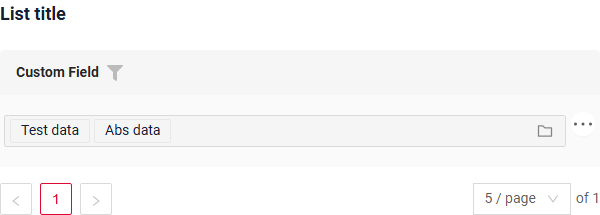
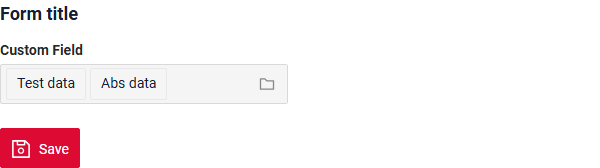
Readonly/Editable indicates whether the field can be edited or not. It can be calculated based on business logic of application
Editable
Live Sample ·
GitHub
Readonly
Live Sample ·
GitHub
How does it look?
not applicable
not applicable

How to add?
Example
Step1 Add mapping DTO->entity to corresponding VersionAwareResponseService.
    @Override
    protected ActionResultDTO<MyExampleDTO> doUpdateEntity(MyEntity entity, MyExampleDTO data,
                                                              BusinessComponent bc) {
        if (data.isFieldChanged(MyExampleDTO_.customFieldAdditional)) {
            entity.setCustomFieldAdditional(data.getCustomFieldAdditional());
        }
        if (data.isFieldChanged(MyExampleDTO_.customField)) {
            entity.getCustomFieldList().clear();
            entity.getCustomFieldList().addAll(data.getCustomField().getValues().stream()
                    .map(MultivalueFieldSingleValue::getId)
                    .filter(Objects::nonNull)
                    .map(Long::parseLong)
                    .map(e -> entityManager.getReference(MyEntityMultivalue.class, e))
                    .toList());
        }

        return new ActionResultDTO<>(entityToDto(bc, entity));
    }
Step2 Add fields.setEnabled to corresponding FieldMetaBuilder.
    @Override
    public void buildRowDependentMeta(RowDependentFieldsMeta<MyExampleDTO> fields, InnerBcDescription bcDescription,
                                      Long id, Long parentId) {
        fields.setEnabled(MyExampleDTO_.customFieldAdditional);
        fields.setEnabled(MyExampleDTO_.customField);
    }
not applicable
not applicable
Works for Form.
Option 1 Enabled by default.
    @Override
    public void buildRowDependentMeta(RowDependentFieldsMeta<MyExampleDTO> fields, InnerBcDescription bcDescription,
                                      Long id, Long parentId) {

    }
Option 2 Not recommended. Property fields.setDisabled() overrides the enabled field if you use after property fields.setEnabled.
not applicable
not applicable
Works for Form.
Filtering
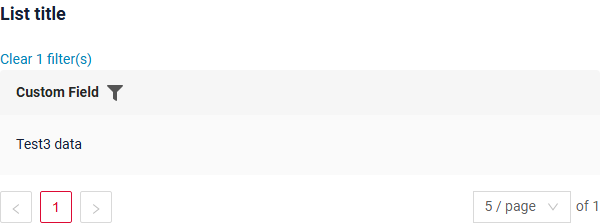
Filtering allows you to search data based on criteria. Search uses in operator which compares ids in this case.
How does it look?
not applicable
not applicable
How to add?
Example
Step 1 Add @SearchParameter to corresponding DataResponseDTO. (Advanced customization SearchParameter)
@Getter
@Setter
@NoArgsConstructor
public class MyExampleDTO extends DataResponseDTO {

    @SearchParameter(name = "customFieldList.id", provider = LongValueProvider.class)
    private MultivalueField customField;

    private String customFieldCalc;

    public MyExampleDTO(MyEntity entity) {
        this.id = entity.getId().toString();
        this.customField = entity.getCustomFieldList().stream().collect(MultivalueField.toMultivalueField(
                e -> String.valueOf(e.getId()),
                MyEntityMultivalue::getCustomField
        ));
        this.customFieldCalc = StringUtils.abbreviate(entity.getCustomFieldList().stream().map(MyEntityMultivalue::getCustomField
        ).collect(Collectors.joining(",")), 12);
    }

}
Step 2 Add fields.enableFilter to corresponding FieldMetaBuilder.
    @Override
    public void buildIndependentMeta(FieldsMeta<MyExampleDTO> fields, InnerBcDescription bcDescription,
                                     Long parentId) {
        if (configuration.getForceActiveEnabled()) {
            fields.setForceActive(MyExampleDTO_.customField);
        }
        fields.enableFilter(MyExampleDTO_.customField);
    }
Step 3 Add popupBcName and assocValueKey to .widget.json.
popupBcName - name bc
assocValueKey - field for opening AssocTreePopup
not applicable
not applicable
Drilldown
not applicable
Validation
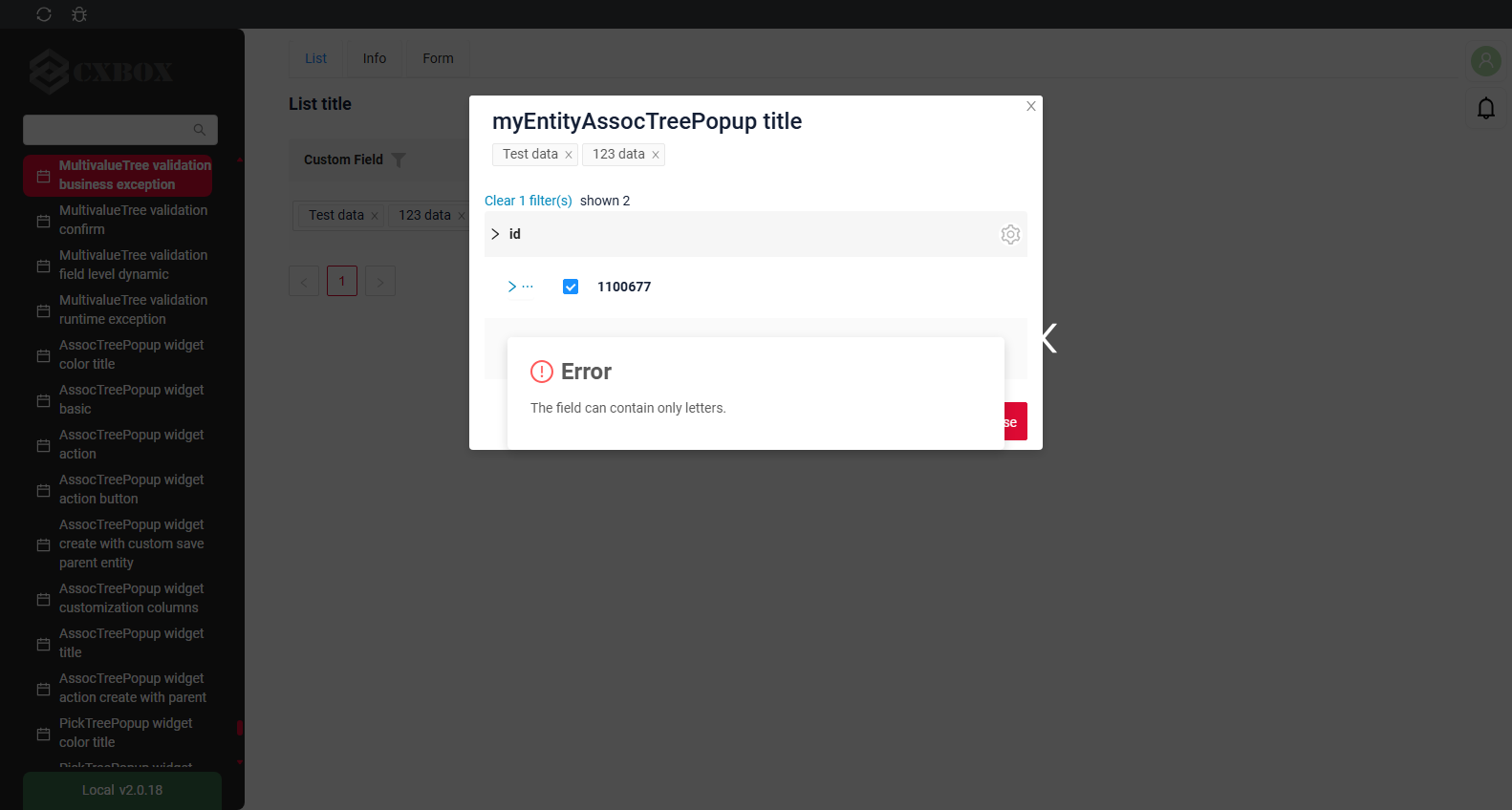
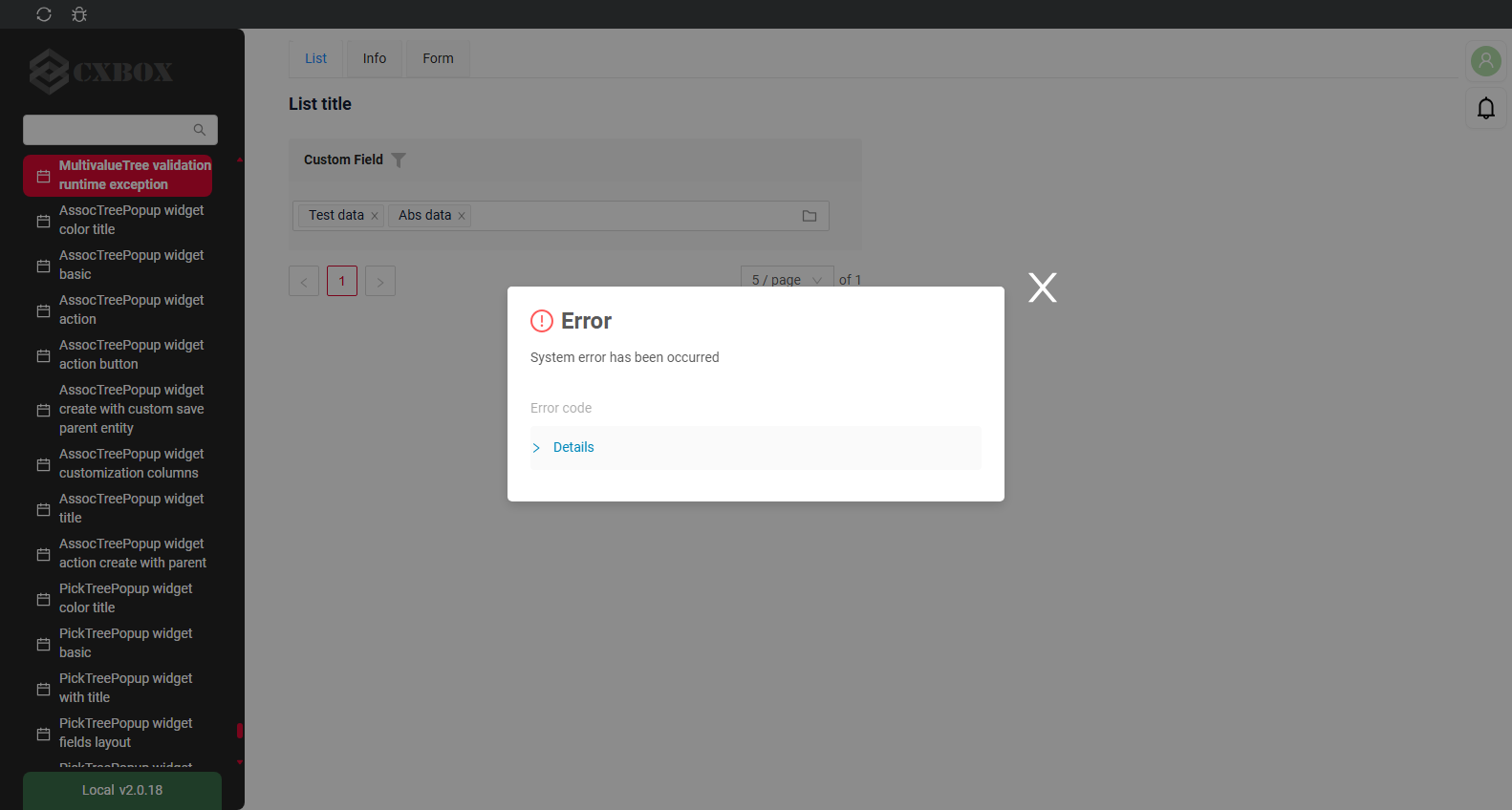
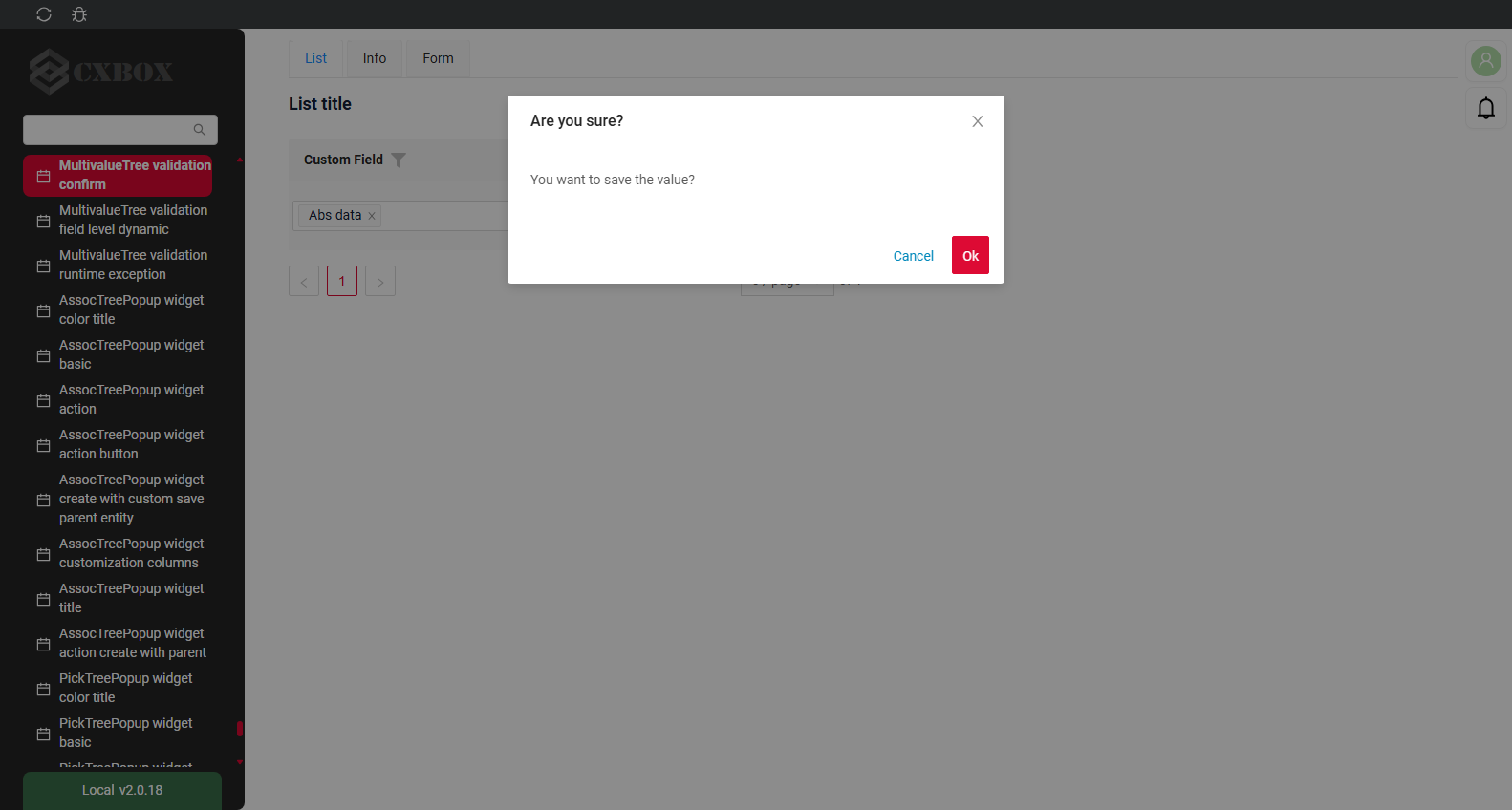
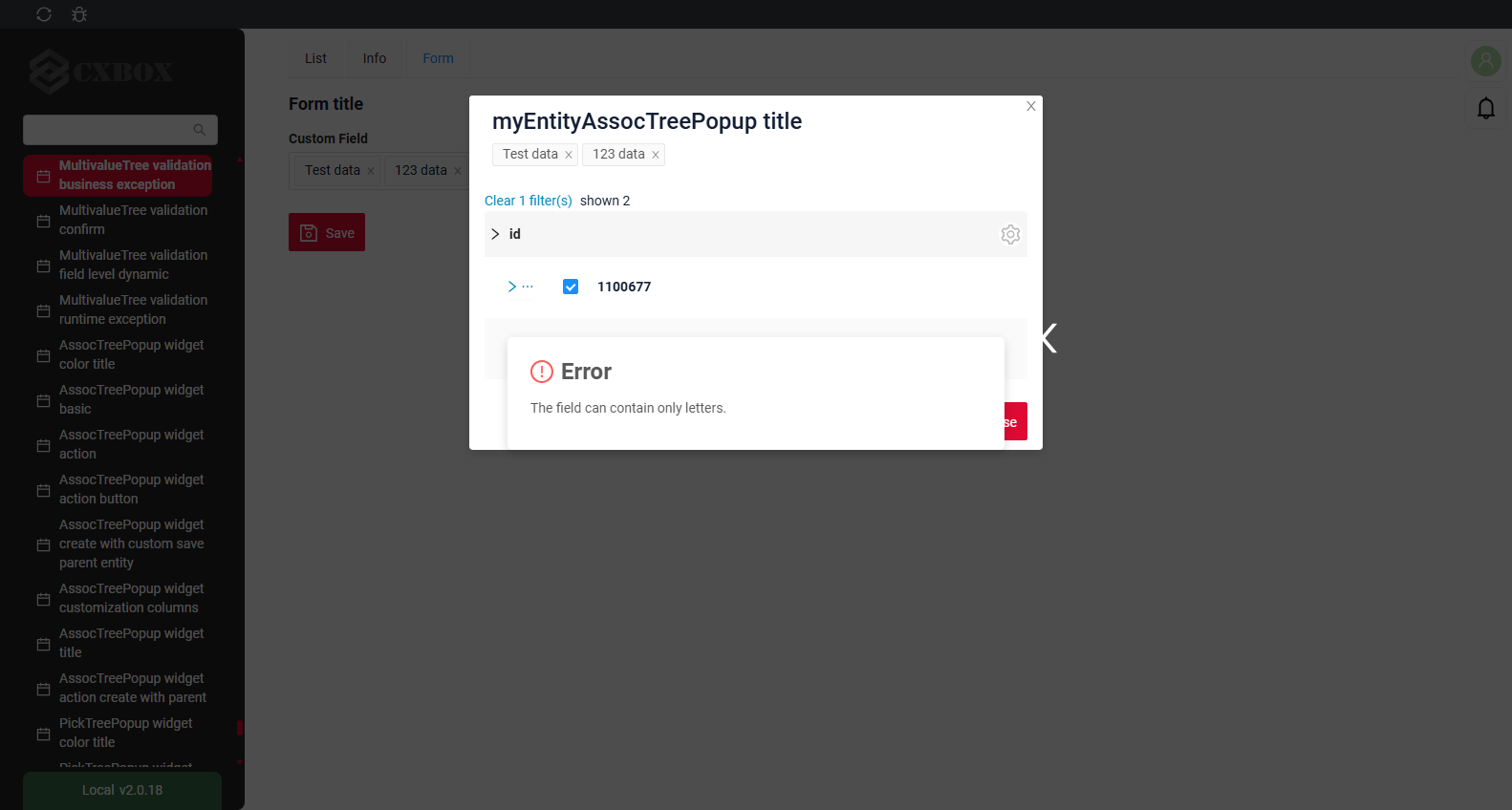
Validation allows you to check any business rules for user-entered value. There are types of validation:
1) Exception:Displays a message to notify users about technical or business errors.
Business Exception:
Live Sample ·
GitHub
Runtime Exception:
Live Sample ·
GitHub
2) Confirm: Presents a dialog with an optional message, requiring user confirmation or cancellation before proceeding.
3) Field level validation: shows error next to all fields, that validation failed for
Option 1:
Live Sample ·
GitHub
Option 2:
Live Sample ·
GitHub
How does it look?

not applicable
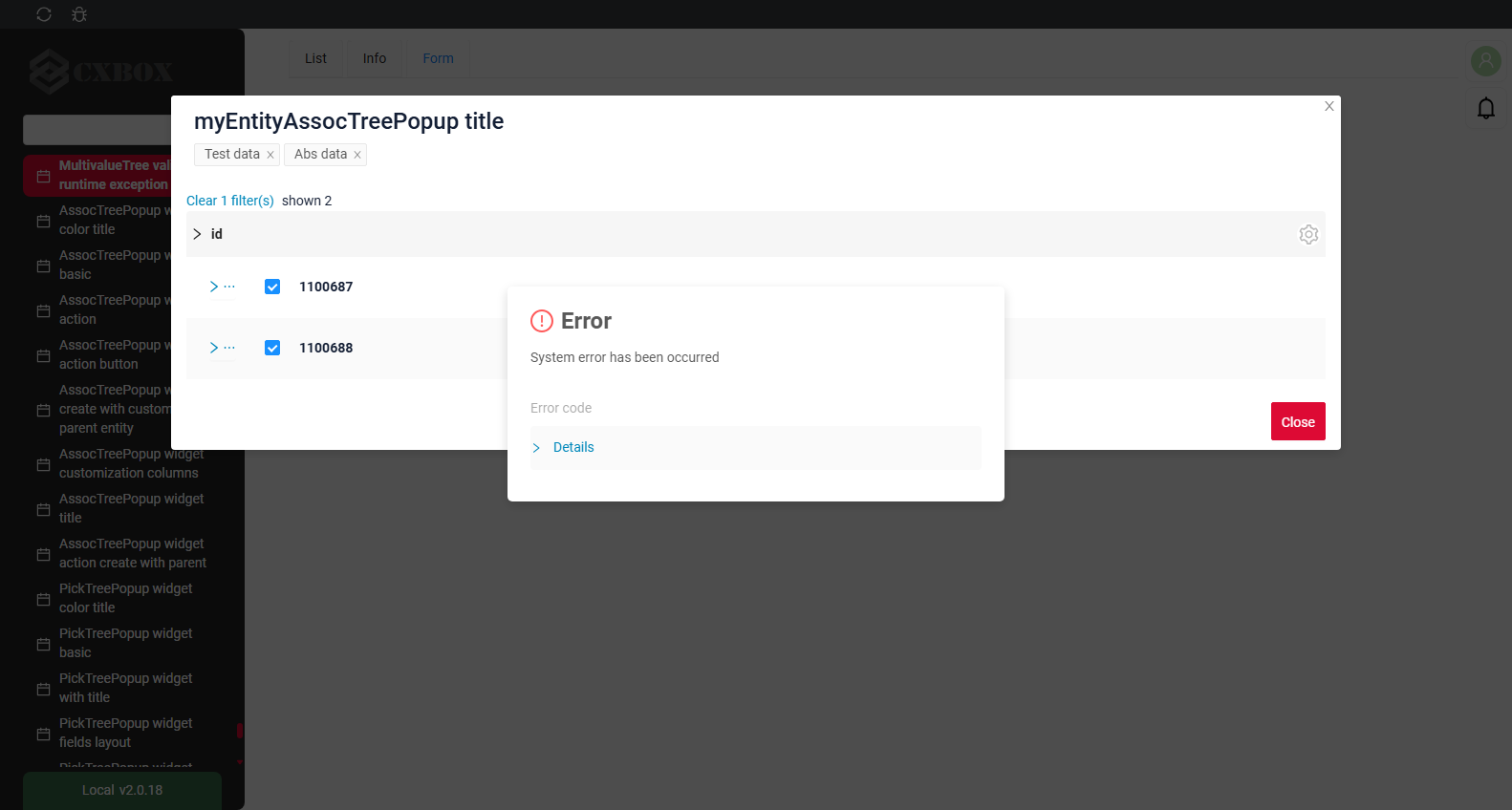
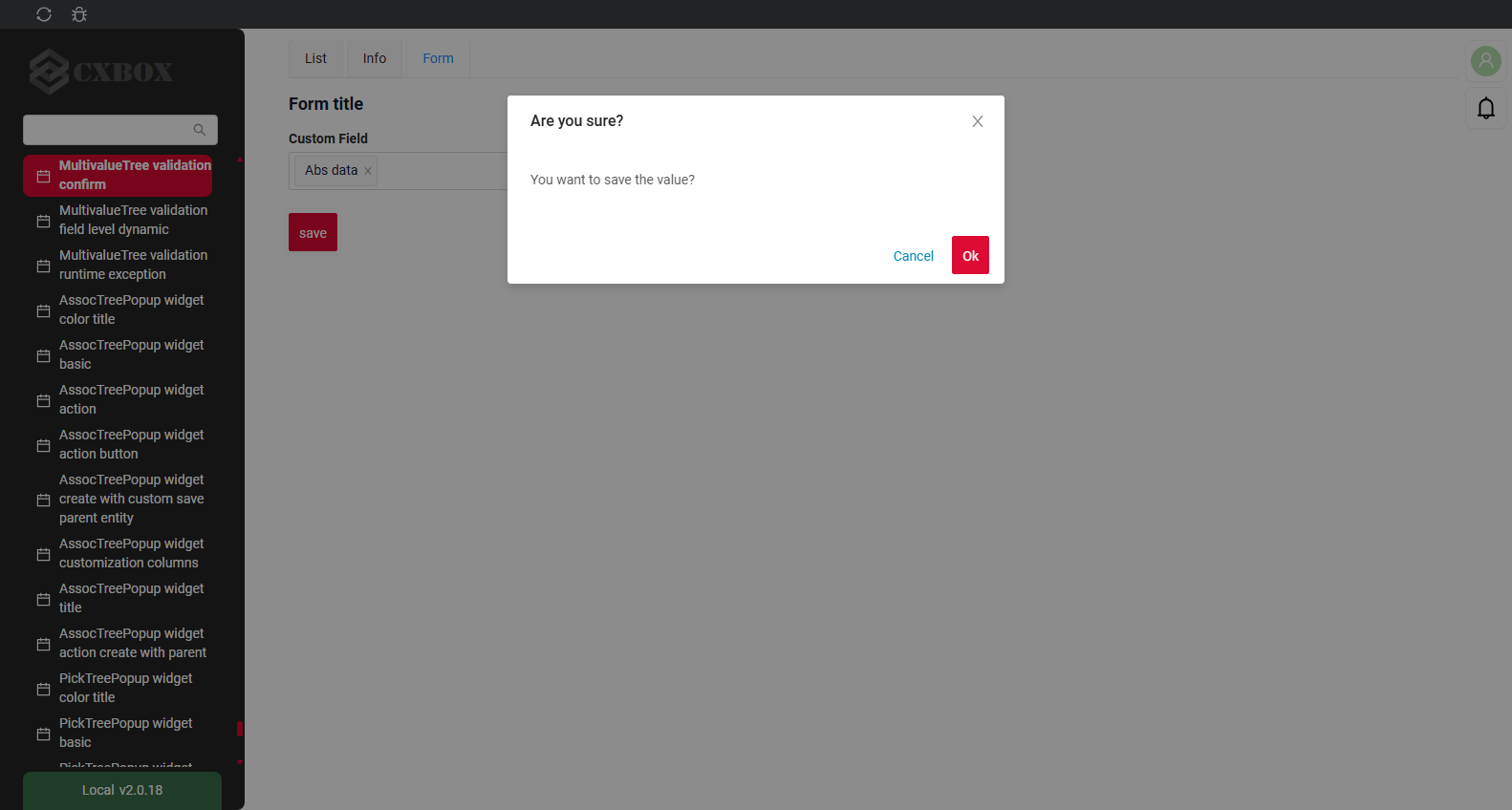
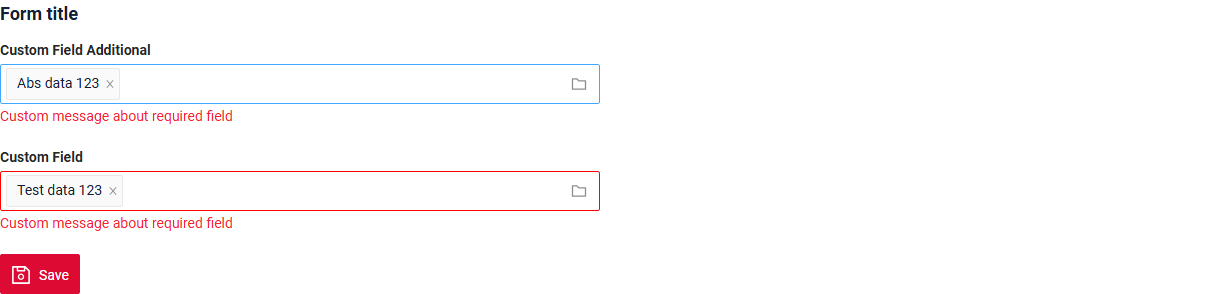
How to add?
Example
BusinessException describes an error within a business process.
Add BusinessException to corresponding VersionAwareResponseService.
    @Override
    protected ActionResultDTO<MyExampleDTO> doUpdateEntity(MyEntity entity, MyExampleDTO data,
                                                              BusinessComponent bc) {
        if (data.isFieldChanged(MyExampleDTO_.customField)) {
            data.getCustomField().getValues()
                    .stream()
                    .filter(val -> !val.getValue().matches("[A-Za-z]+"))
                    .findFirst()
                    .orElseThrow(() -> new BusinessException().addPopup(ONLY_LETTER));
            entity.getCustomFieldList().clear();
            entity.getCustomFieldList().addAll(data.getCustomField().getValues().stream()
                    .map(MultivalueFieldSingleValue::getId)
                    .filter(Objects::nonNull)
                    .map(Long::parseLong)
                    .map(e -> entityManager.getReference(MyEntityMultivalue.class, e))
                    .toList());
        }

        return new ActionResultDTO<>(entityToDto(bc, entity));
    }
Works for List.
not applicable
Works for Form.
RuntimeException describes technical error within a business process.
Add RuntimeException to corresponding VersionAwareResponseService.
    @Override
    protected ActionResultDTO<MyExampleDTO> doUpdateEntity(MyEntity entity, MyExampleDTO data,
                                                              BusinessComponent bc) {
        if (data.isFieldChanged(MyExampleDTO_.customField)) {
            entity.getCustomFieldList().clear();
            entity.getCustomFieldList().addAll(data.getCustomField().getValues().stream()
                    .map(MultivalueFieldSingleValue::getId)
                    .filter(Objects::nonNull)
                    .map(Long::parseLong)
                    .map(e -> entityManager.getReference(MyEntityMultivalue.class, e))
                    .toList());
            try {
                //call custom function
                throw new Exception("Error");
            } catch (Exception e) {
                throw new RuntimeException("An unexpected error has occurred.");
            }
        }

        return new ActionResultDTO<>(entityToDto(bc, entity));
    }
Works for List.
not applicable
Works for Form.
Add PreAction.confirm to corresponding VersionAwareResponseService.
    @Override
    public Actions<MyExampleDTO> getActions() {
        return Actions.<MyExampleDTO>builder()
                .action(act -> act
                        .action("save", "save")
                        .withPreAction(PreAction.confirm(cf -> cf
                                .text("You want to save the value?")
                        )))
                .build();
    }
Works for List.
not applicable
Works for Form.
Add javax.validation to corresponding DataResponseDTO.
Use if:
Requires a simple fields check (javax validation)
@Getter
@Setter
@NoArgsConstructor
public class MyExampleDTO extends DataResponseDTO {

    @NotNull(message = "Custom message about error")
    @SearchParameter(name = "customFieldList.id", provider = LongValueProvider.class)
    private MultivalueField customField;

    private String customFieldCalc;

    public MyExampleDTO(MyEntity entity) {
        this.id = entity.getId().toString();
        this.customField = entity.getCustomFieldList().stream().collect(MultivalueField.toMultivalueField(
                e -> String.valueOf(e.getId()),
                MyEntityMultivalue::getCustomField
        ));
        this.customFieldCalc = StringUtils.abbreviate(entity.getCustomFieldList().stream().map(MyEntityMultivalue::getCustomField
        ).collect(Collectors.joining(",")), 12);
    }

}
Works for List.
not applicable
Works for Form.
Create custom service for business logic check.
Use if:
Business logic check required for fields
Step 1 Create custom method for check.
    private void validateFields(BusinessComponent bc, MyExampleDTO dto) {
        BusinessError.Entity entity = new BusinessError.Entity(bc);
        if (!String.valueOf(dto.getCustomField()).matches("[A-Za-z]+")) {
            entity.addField(MyExampleDTO_.customField.getName(), "Custom message about required field");
        }
        if (!String.valueOf(dto.getCustomFieldAdditional()).matches("[A-Za-z]+")) {
            entity.addField(MyExampleDTO_.customFieldAdditional.getName(), "Custom message about required field");
        }
        if (!entity.getFields().isEmpty()) {
            throw new BusinessException().setEntity(entity);
        }
    }
Step 2 Add custom method for check to corresponding VersionAwareResponseService.
Sorting
not applicable
Required
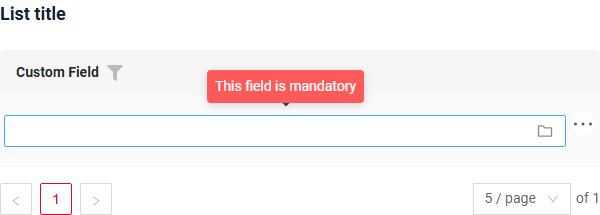
Required allows you to denote, that this field must have a value provided.
How does it look?
not applicable
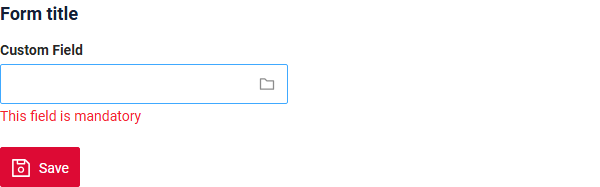
How to add?
Example
Add fields.setRequired to corresponding FieldMetaBuilder.
    @Override
    public void buildRowDependentMeta(RowDependentFieldsMeta<MyExampleDTO> fields, InnerBcDescription bcDescription,
                                      Long id, Long parentId) {
        fields.setEnabled(MyExampleDTO_.customField);
        fields.setRequired(MyExampleDTO_.customField);
    }
not applicable
not applicable
Works for Form.
Additional properties
Primary
Not supported for multivalueTree: the options.primary setting of the popup is available only for AssocListPopup.
Selection modes
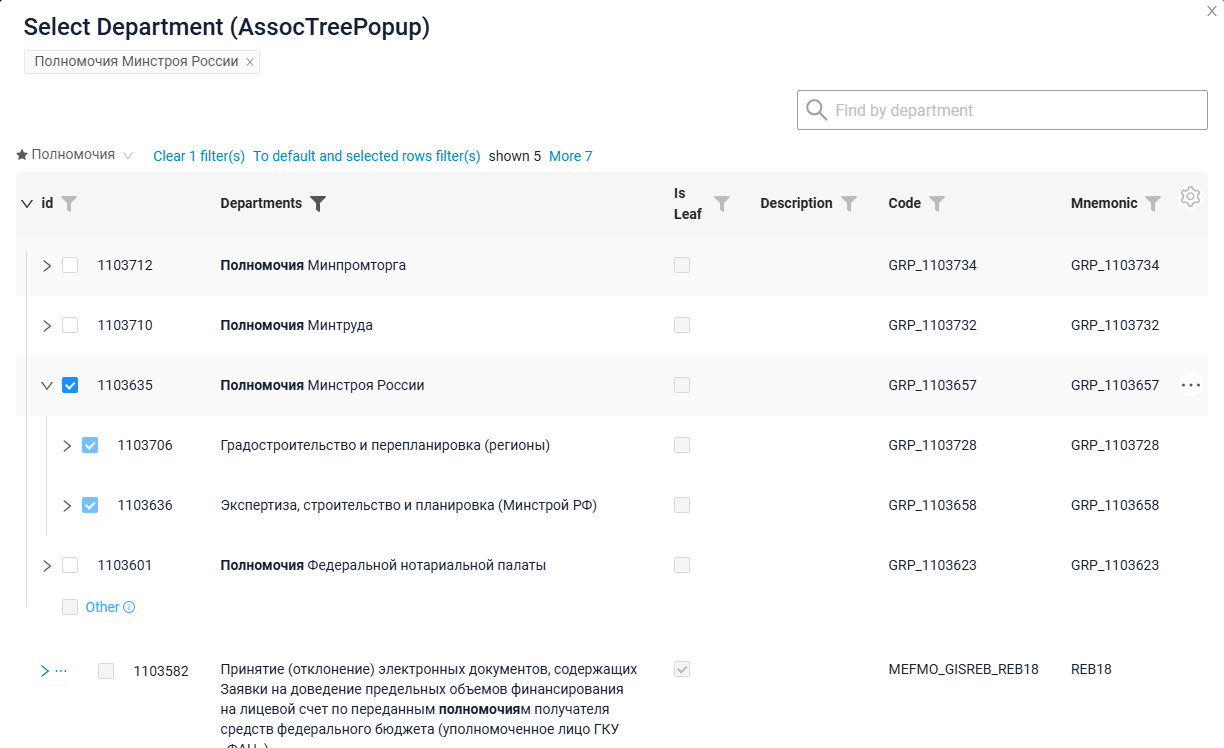
What the user selects explicitly in the popup is exactly what is sent to the backend.
- If the user picks separate records, those record ids are sent.
- If the user picks a whole group (node), the id of the group is sent, and its children become dimmed - they are covered by the selected group and are not sent separately.
- A selection like "the whole group minus N records" cannot be expressed: either the group is selected, or the required records are selected one by one.
Which rows may be selected at all - nodes, leaves or both - is defined by the options.tree.selection property of the popup widget, see Selection modes.
How does it look?
not applicable
not applicable
How to add?
Example
not applicable
not applicable
Add tree.selection to corresponding Assoc .widget.json.
{
  "name": "myexampleAssocTreePopup",
  "title": "Select Department (AssocTreePopup)",
  "type": "AssocTreePopup",
  "bc": "myexamplePick",
  "fields": [
    {
      "title": "Parent Id",
      "key": "parentId",
      "type": "hidden"
    },
    {
      "title": "id",
      "key": "id",
      "type": "text"
    },
    {
      "title": "Departments",
      "key": "department",
      "type": "input"
    },
    {
      "title": "Is Leaf",
      "key": "isLeaf",
      "type": "checkbox"
    },
    {
      "title": "Description",
      "key": "description",
      "type": "input"
    },
    {
      "title": "Code",
      "key": "code",
      "type": "input"
    },
    {
      "title": "Mnemonic",
      "key": "mnemonic",
      "type": "input"
    }
  ],
  "options": {
    "fullTextSearch": {
      "enabled": true,
      "placeholder": "Find by department"
    },
    "tree": {
      "searchModes": ["collapse", "hide"],
      "selection": "node"
    }
  }
}